
Your porch, roofline, patio, and entryway should look right when you get home – not only when you remember to flip a switch. When you schedule outdoor lights with app control, your home can greet the evening with warm white elegance, shift to team colors for game day, and add a little extra visibility after dark without adding another task to your day.
That is the real appeal of permanent smart lighting. The colors get attention, but the schedule is what makes the system work for your life. Set it once, make a few seasonal adjustments, and let your exterior lighting show up on time.
Why app scheduling changes outdoor lighting
Traditional outdoor lights do one of two things: they stay on until someone turns them off, or they rely on a basic timer that cannot adapt very well to changing seasons. App-controlled lighting gives you more useful choices. You can set a start and stop time, build schedules around sunset and sunrise, choose different scenes for different days, and make changes from the couch or while away from home.
That means no more walking outside in bad weather to reset a timer after daylight saving time. No more leaving holiday lights on until midnight because everyone forgot. And no more coming home to a dark entryway when a simple recurring schedule could have handled it.
For homeowners who want the house to look polished every night, scheduling also keeps lighting intentional. Warm white can run during the week for curb appeal. A brighter entry setting can come on later for security. Color scenes can be reserved for weekends, birthdays, holidays, and celebrations. Your home gets the right look without feeling like a permanent holiday display.
Start with the job each lighting schedule needs to do
Before opening the app, decide what you want the lights to accomplish. A good schedule is not necessarily the brightest or longest one. It is the one that fits how you use your home.
For most households, exterior lighting falls into three categories: everyday curb appeal, event lighting, and security. Everyday lighting is usually a warm white scene that makes the home look finished from the street. Event lighting is where programmable RGBW color shines, whether you are celebrating the Fourth of July, supporting your favorite team, or hosting people on the patio. Security lighting focuses on entrances, driveways, and the hours when visibility matters most.
These needs can overlap, but they should not all run at maximum brightness all night. A softer warm white setting may be perfect from sunset until bedtime. A lower-intensity security scene can take over afterward. If you have a late-night gathering, add a temporary schedule rather than changing your reliable everyday routine.
How to schedule outdoor lights with an app
The exact screen names differ by lighting system, but the setup process is typically straightforward. Start by connecting your controller to your home network and confirming that every light section responds from the app. This is the time to name zones clearly, especially if your system covers the front roofline, garage, side yard, patio, or commercial storefront.
Build your everyday scene first
Create a scene you would be happy to see most nights of the year. For many homes, that means warm white rather than a cool, bluish white. True RGBW systems have a dedicated white channel, which creates a more natural, inviting result than trying to mix white from colored LEDs alone.
Adjust brightness based on your home and neighborhood. A large two-story façade may need more output than a modest front porch. If nearby homes are close together, lower brightness can look more refined while still highlighting rooflines and architectural details. The goal is polished curb appeal, not a runway.
Save this scene with a name you will recognize instantly, such as “Every Night” or “Warm White Front.” That small step makes future schedule changes much faster.
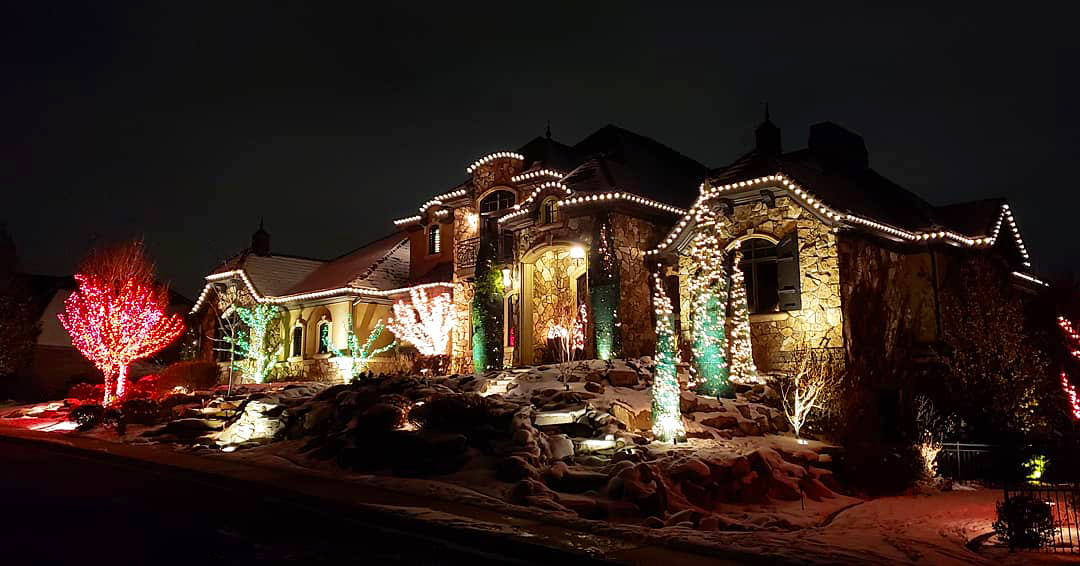 Choose sunset-based timing when available
A fixed 6:00 p.m. start time works for a few weeks, then daylight changes and the schedule starts to feel off. Sunset-based scheduling is usually the better choice because it follows the season automatically.
Set your main scene to start at sunset or shortly after. If your front windows face west and the evening light lingers, a 15- to 30-minute delay may look better. For a home on a shaded street, turning lights on right at sunset can make more sense.
Then choose an end time that reflects your routine. Many homeowners run their curb-appeal scene until 10:00 or 11:00 p.m. If you are often out late, extend it. If your household turns in early or you prefer a quieter look, schedule it to end sooner. The best setting is personal, and the app makes it easy to refine after a few evenings.
Add a separate late-night security setting
If you want light around entrances after your primary scene ends, create a second schedule instead of leaving the first one running at full brightness. A lower-brightness warm white or neutral white scene can provide useful visibility without washing out the exterior.
Focus on areas that matter: the front door, garage approach, side gate, and backyard access. Lighting should support cameras, help guests find the right path, and make your property feel occupied. It should not create glare that makes it harder to see beyond the bright area.
For some homes, lights off at bedtime is the right choice. For others, a dim security scene until sunrise is worth it. It depends on your location, surrounding light levels, and comfort preferences. Scheduling gives you control without forcing a one-size-fits-all answer.
Create holiday and event schedules without disrupting the week
The fun part of app-controlled permanent lighting is that a Saturday football scene does not have to replace your Monday-through-Friday warm white routine. Save event scenes separately, then schedule them for specific dates, days of the week, or limited time windows.
For example, set team colors to run two hours before kickoff through the end of the game. Schedule red, white, and blue for a holiday weekend, then let your everyday scene resume automatically the following night. For Halloween, choose a lower-brightness orange and purple pattern that feels festive without overpowering the street.
With more than four billion color options and hundreds of preset patterns available on systems such as EverLights, the temptation is to use every effect at once. Resist it. A simple, coordinated scene usually makes a stronger impression than constant movement. Save animated patterns for parties, holidays, and moments when you want the house to join the celebration.
Check these details before trusting your schedule
A schedule only helps when the system is connected and the timing is correct. After creating your first routine, watch it run for a few nights. Confirm that your location, time zone, and daylight-saving settings are accurate. If the app uses sunset and sunrise data, location permissions may need to remain enabled.
Also consider your Wi-Fi coverage. The controller needs a dependable connection, particularly if you want to make updates while traveling. If your signal weakens near the garage or exterior wall where equipment is installed, solve that issue early with better network placement or a suitable extender.
Do not forget manual overrides. Most smart lighting apps allow you to turn on a scene outside its normal schedule. That is useful when friends stop by, you are arriving home later than expected, or a storm makes the evening unusually dark. Just check whether the override ends automatically or stays active until the next scheduled event.
Make your lighting schedule feel effortless year-round
A few well-named scenes and schedules are better than dozens you never use. Keep one dependable everyday warm white scene, one late-night option if needed, and a small collection of holiday or event favorites. Review them when the seasons change, not every week.
Permanent outdoor lighting is designed to remove the annual ladder routine, tangled strands, burned-out bulbs, and storage bins. App scheduling takes that freedom one step further. Your house can look ready for the season, the occasion, or a normal Tuesday night before you even pull into the driveway.
Set your first schedule for the way you actually live, then give it a week. The right lighting routine is the one you stop thinking about because your home already looks exactly the way you wanted it to.