

Your home should not look the same on a random Tuesday as it does on Christmas Eve, game day, or the night you host family in the backyard. With permanent smart exterior lighting, you can customize house colors remotely from your phone instead of climbing a ladder, untangling strands, or settling for one seasonal look.
That control changes more than your holiday setup. It gives you a house that can feel polished with warm white light on ordinary evenings, festive in red and green in December, and fully ready for a birthday, graduation, or hometown team celebration in a few taps. The key is choosing a system designed for year-round use, then setting it up in a way that makes color changes easy rather than another thing on your to-do list.
How to Customize House Colors Remotely
Remote color control starts with permanently installed RGBW lights connected to a compatible mobile app. Once the system is installed, connected, and named in the app, you can select colors, adjust brightness, run patterns, and create schedules whether you are on the couch, at work, or away for the weekend.
RGBW matters here. RGB lights blend red, green, and blue to create a huge range of colors, but a dedicated white LED gives you a cleaner, warmer white for everyday curb appeal. That means you do not have to choose between a holiday lighting system and tasteful exterior lighting. You get both.
A quality permanent system sits discreetly beneath soffits, trim, or flashing during the day. At night, the light is directed onto your home’s architecture to create a finished, intentional look. Instead of exposed strings and visible clips, your roofline stays clean while the color options stay wide open.
Start With the Colors You Will Actually Use
More color choices are exciting, but the best results rarely come from using every color at once. Start by thinking about the moments your home is most likely to be lit. For many homeowners, that means everyday warm white, major holidays, family celebrations, and security-focused lighting.
Warm white is the foundation. It makes stone, brick, siding, trim, and landscaping look more inviting without making your home feel like a holiday display. Set it at a comfortable brightness for evenings when you want the house to look cared for, not overlit.
Then build a few reliable color scenes around your calendar. Red, white, and blue works for patriotic holidays. Orange and purple can carry you through fall. Red and green are classic for Christmas, while softer gold, white, or blue patterns can feel more refined for winter gatherings. For birthdays, graduations, and team celebrations, choose colors that mean something to the people coming over.
The advantage of remote control is that these choices do not need to be permanent. A bold scene can run for one night, then switch back to warm white the next evening without anyone stepping outside.
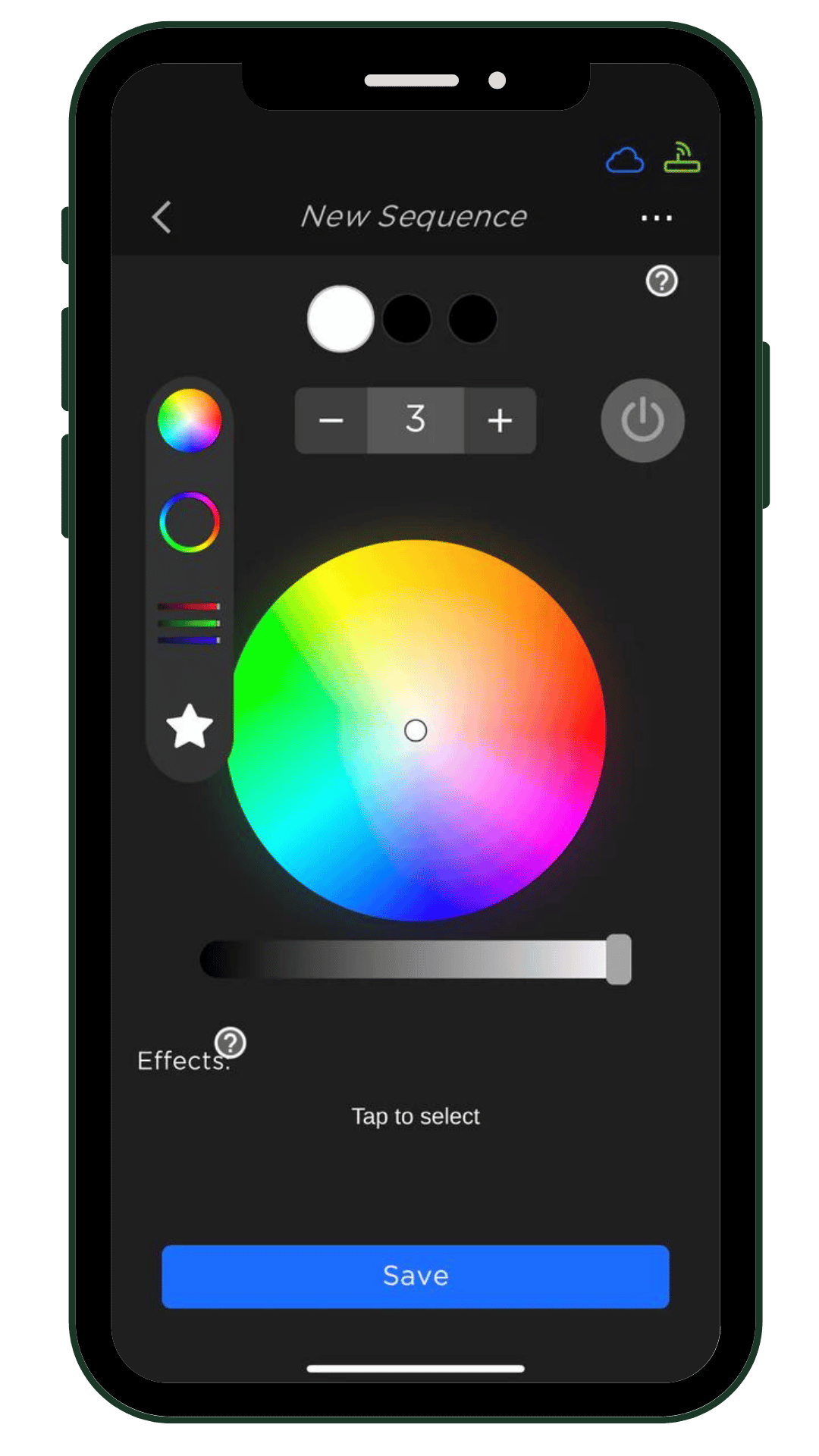 Match brightness to the purpose
Color is only half the decision. Brightness determines whether a scene feels elegant, energetic, or distracting. A subtle warm-white setting may be enough for nightly curb appeal, while a brighter pattern may make sense for a holiday party or a commercial event.
Homes on darker streets may need less intensity than homes with large setbacks or dense landscaping. If your house faces a busy road, a slightly brighter setting can help the roofline read clearly from the street. It depends on your architecture, neighbors, and the mood you want to create.
A good rule is to start lower than you think you need. Increase brightness until the trim and roofline are visible, then stop before the lighting overwhelms the home itself.
Use Presets for the Fastest Color Changes
The real convenience comes from presets. Rather than rebuilding a scene every time a holiday arrives, save your favorite color combinations and effects once. Your app can then become a simple control panel: choose the scene, set the brightness, and let your home do the rest.
For example, you might keep a warm-white preset for weeknights, a low-key amber scene for fall, a Christmas pattern, and a school-color preset. These saved looks remove the friction that keeps many homeowners from using smart features after the first few weeks.
Systems with 200-plus preset patterns give you room to experiment without needing to become a lighting designer. Try a gentle fade for a dinner party, a color chase for a big game, or a static palette when you want a cleaner presentation. Patterns are fun, but static colors often deliver the most polished result for everyday use.
If multiple people in your household use the app, agree on a few go-to scenes. That prevents the classic smart-home problem where one person loves a bright animation and everyone else just wants the porch area to look welcoming.
Put Your Lighting on a Schedule
Remote control is useful. Scheduling is where permanent lighting starts saving real time.
Set your warm-white scene to turn on around sunset and turn off when you usually head to bed. During the holidays, schedule a festive scene for evening hours and choose a quieter setting later at night. You can also program colors in advance for birthdays, parties, or seasonal transitions, so the house is already ready when the day arrives.
Schedules are especially helpful when you travel. A home that lights up consistently can look occupied, and a well-lit exterior makes walkways, entry points, and dark corners easier to see. Decorative lighting is not a replacement for a dedicated security system, but it can be a practical part of a more visible, more welcoming property.
Keep schedules realistic. If lights run at full brightness all night, your house may feel more exposed than inviting. A better approach is to use a brighter early-evening setting, then reduce intensity or turn lights off at a set time. You still get curb appeal without creating unnecessary glare.
Check Remote Access Before You Need It
To customize house colors remotely when you are away, your lighting controller and home network need to be set up correctly from the beginning. Test the app while you are still at home, then test it again using cellular data instead of Wi-Fi. This confirms that you can make changes when you are not connected to your home network.
A stable Wi-Fi signal near the controller is essential. If the controller is installed in an area with weak coverage, remote commands may be delayed or fail. In some homes, a mesh Wi-Fi node or extender can solve the issue. It is a small setup step that protects the experience you paid for.
Also keep your app and controller software current. Updates can improve performance, add scenes, and address connectivity issues. If you choose a professionally installed system, ask the installer to walk you through scene selection, scheduling, and remote access before the job is complete. DIY homeowners should plan time for this setup after installation rather than treating it as an afterthought.
Choose Permanent Lighting That Looks Good Year-Round
Remote color control is only as satisfying as the system you are controlling. A string-light look may be fine for a few weeks, but it is not the same as lighting designed to stay on your home through rain, heat, snow, and changing seasons.
Look for weather-resistant components, a long expected life, strong warranty coverage, and true RGBW capability. EverLights permanent outdoor lighting, for example, offers more than four billion color options, warm-white light, app control, and a 50,000-hour life expectancy. Those details matter because permanent lighting should feel like a home upgrade, not a seasonal decoration that happens to stay up.
The installation path also depends on your priorities. A professionally installed system is a strong choice when you want a turnkey result, clean placement, and help getting the app configured. A DIY option can make sense if you are comfortable planning the layout, working carefully around your roofline, and want professional-grade lighting with more hands-on control.
Either way, discreet daytime placement is worth prioritizing. The best permanent lighting disappears into the architecture until you decide it is time to light it up.
Give Each Night a Reason to Look Better
You do not need a holiday to use color. A soft warm-white scene can make arriving home feel better. Team colors can turn an ordinary game night into an occasion. A simple custom palette can welcome guests before they even ring the bell.
Set up a few scenes you genuinely love, schedule the one that makes everyday evenings easier, and keep the bolder colors ready for the moments worth celebrating. Your home will always be prepared, and you can leave the ladder in the garage where it belongs.